
› Forums › Archived Forums › Candidates Corner 2015 › Do you have the WGA logo and link on all of your cache hides?
- This topic has 10 replies, 8 voices, and was last updated 11 years, 1 month ago by
 raslas.
-
AuthorPosts
-
01/21/2015 at 3:32 pm #2033893
Seven years ago this month (yes, SEVEN! 😯 ), I clicked a link on a cache page that led me to discover this organization and all of its wonders. That’s a tried-and-true way of letting cachers know about the WGA. When we started putting out caches ourselves, we made sure that that logo/link was one of the first things we added to our cache page text, and we still do it for every new cache we place. Whether you have one cache or 1000, do you put the WGA link on all of your cache pages? (If you have not placed any caches yet, just say so in your response.)
01/21/2015 at 3:40 pm #2033896No I don’t but the only reason is because I don’t know how to add it on. I’m willing to learn and get better.
01/21/2015 at 5:00 pm #2033898Only my cooler caches like GC2ENJQ and GC3GJVZ. I think 3 have WGA Blue Ribbons on top, maybe more. I don’t remember any more. Getting to many caches out there now.
***Opinions expressed are mine alone and will change based upon new information. ***
01/21/2015 at 5:08 pm #2033899I should make myself clearer: The WGA Cache Page Banner, not the COTM blue ribbon banner. It can be added when someone does the cache page write-up. The link can be found at the top of each page here under INFO then FILES then CACHE PAGE BANNER.
Examples can be found here: GC4MAR5 and GC1AQE8
01/21/2015 at 5:20 pm #2033901Yep, they are there. All clear. I don’t know how many people read the entire cache page anymore but I try to keep them pretty anyway. Making sure you also have the blue ribbon on top advertises to seekers of unique caches that they can go to the WGA website to find more great caches.
***Opinions expressed are mine alone and will change based upon new information. ***
01/21/2015 at 6:56 pm #2033909What kinda of a Director am I. I know when I held my event last month and published the new caches, I almost forgot to add the banner/logo with the link to the website.
Looking over my 100 caches I did find a few that do not have the link. Yikes…bad WalkingAdventure.
Most do look like this:
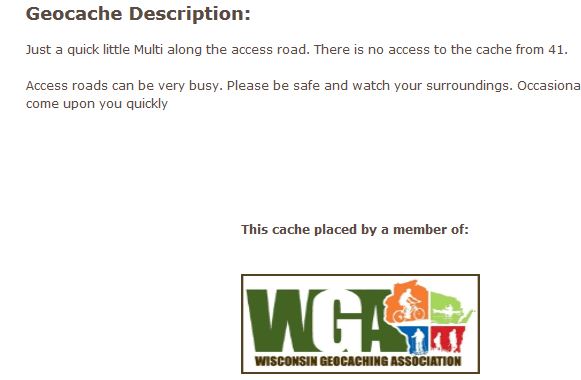
Following the signals from space.
01/21/2015 at 8:11 pm #2033915Yes I sure do! Proudly plastered on all my caches. Most of them have the scrolling banner on them also.
01/21/2015 at 8:52 pm #2033917*Hangs head in shame* Aw man, I forgot to put it on the last couple that I just put out. The rest have it though. I agree, that’s a great way to spread the word about the WGA.
Now I’m off to fix my cache pages….
Oh the woes of the short geocacher!
01/22/2015 at 10:04 am #2033954OK, updated the last couple and now they do. 🙂
Oh the woes of the short geocacher!
01/23/2015 at 2:46 pm #2034056I pretty much thought I did on my personal hides, not so much the co-hides listed under the other persons account because I have no control over what they put on the page.
I even list that my events are being hosted by a member of but not an official WGA event.
01/25/2015 at 9:48 am #2034189I do not have it on mine. I had it on some of them, but I believe if memory serves me correctly, that with the new website you must redo the logo on the cache page. I advertise the WGA frequently by all the WGA apparel I ahve bought. My WGA shirts and hoodies are my favorite items of clothing 🙂 and many times people have questioned what it was all about!
-
AuthorPosts


- The forum ‘Candidates Corner 2015’ is closed to new topics and replies.